Scan-to-BIM Services: Converting Point Cloud Data into Accurate BIM Models

Scan-to-BIM Services: Converting Point Cloud Data into Accurate BIM Models
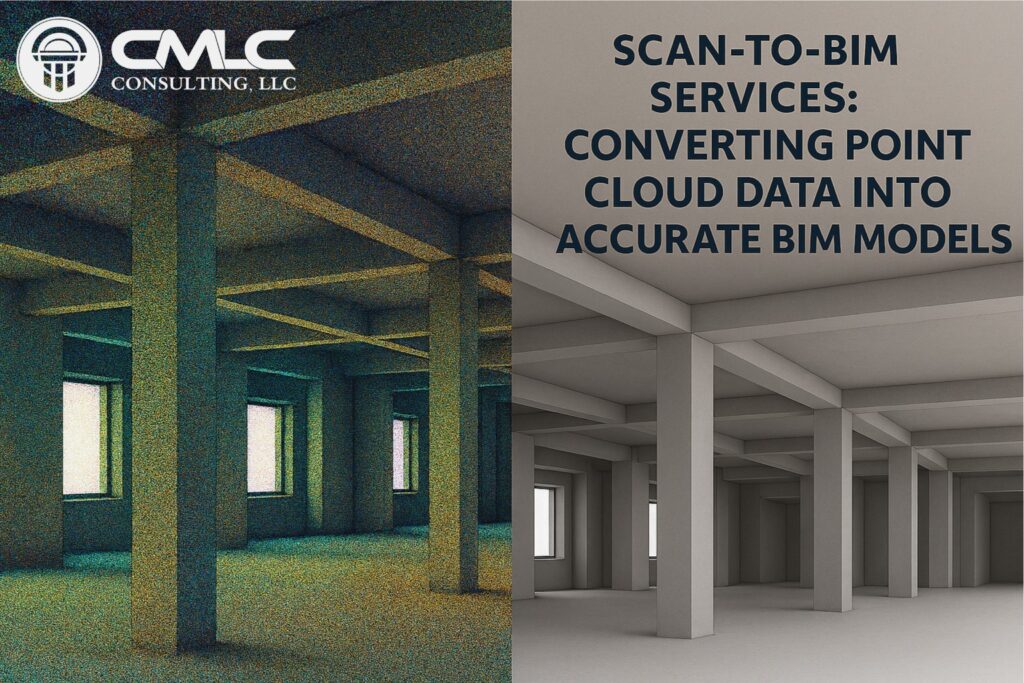
Renovation, retrofit, and facility management projects often start with one critical challenge: capturing existing conditions accurately. Traditional methods like manual measurements and 2D drawings are time-consuming and prone to errors. Enter Scan-to-BIM services, a revolutionary approach that transforms point cloud data into precise, intelligent BIM models.


What is Scan-to-BIM?

Scan-to-BIM is the process of using 3D laser scanning technology to capture the geometry of an existing building or structure. The scan generates a point cloud, which is then converted into a Building Information Model (BIM) using tools like Autodesk Revit.

This workflow ensures that designers, engineers, and contractors have a true-to-life digital representation of the building for planning, design, and construction.


Why Scan-to-BIM Matters

  • Accuracy: Eliminates guesswork and manual errors.
  • Speed: Captures millions of data points in minutes.
  • Efficiency: Reduces site visits and accelerates design timelines.
  • Compliance: Ensures as-built documentation meets industry standards.

Explore our Scan-to-BIM Services for precise as-built modeling.


Key Applications

1. Renovation and Retrofit Projects

Accurate as-built models help architects and engineers design modifications without surprises.

2. Facility Management

Digital twins created from point clouds support maintenance, space planning, and future upgrades.

3. Clash Detection and Coordination

Integrating point cloud-based BIM models with new design elements ensures seamless coordination with MEP systems.

Learn more about BIM Coordination Services for error-free integration.


How the Process Works

  1. Laser Scanning: High-definition scanners capture the building’s geometry.
  2. Point Cloud Processing: Data is cleaned and aligned for accuracy.
  3. Model Creation: BIM experts convert point clouds into LOD-specific models (LOD 200–LOD 500).
  4. Validation: Models are checked against project requirements for precision.

Benefits of Scan-to-BIM

  • Reduces costly rework.
  • Improves design accuracy.
  • Enhances collaboration among stakeholders.
  • Supports sustainable and efficient project delivery.

Partner with CMLC Consulting

We specialize in Scan-to-BIM services for commercial, industrial, and residential projects. Our team ensures your as-built models are accurate, compliant, and ready for integration with new designs.

Ready to transform your renovation workflow? Get a Quote today.

Read More
2D CAD vs 3D CAD Drafting: Choosing the Right Approach

2D CAD vs 3D CAD Drafting: Choosing the Right Approach

2D CAD vs 3D CAD Drafting: Choosing the Right Approach

In the world of design and construction, Computer-Aided Design (CAD) has been a cornerstone for decades. However, with evolving project demands and technological advancements, professionals often face a critical question: Should you use 2D CAD or 3D CAD drafting? Understanding the strengths and limitations of each approach is essential for making the right choice.


What is 2D CAD Drafting?

2D CAD drafting involves creating flat drawings that represent length and width but lack depth. It’s widely used for:

  • Floor plans
  • Elevations
  • Sections
  • Simple schematics

Advantages of 2D CAD

  • Simplicity: Easy to learn and implement.
  • Cost-effective: Lower software and training costs.
  • Ideal for basic projects: Perfect for small-scale designs or documentation.

Limitations

  • No visualization of depth or spatial relationships.
  • Higher risk of errors during coordination.
  • Difficult to detect clashes between components.

What is 3D CAD Drafting?

3D CAD drafting creates three-dimensional models that represent length, width, and depth. It’s commonly used for:

  • Complex architectural designs
  • Mechanical components
  • BIM-ready models

Advantages of 3D CAD

  • Enhanced Visualization: Provides realistic views for better decision-making.
  • Improved Accuracy: Reduces errors by showing spatial relationships.
  • Integration with BIM: Supports advanced workflows like clash detection and quantity takeoffs.

Limitations

  • Requires more training and higher software investment.
  • Larger file sizes and higher hardware requirements.

Which Approach Delivers Better Value?

For simple projects, 2D CAD remains a practical choice. However, for large-scale, complex designs, 3D CAD offers significant advantages:

  • Better coordination among disciplines.
  • Reduced rework and improved constructability.
  • Seamless integration with BIM workflows for long-term project efficiency.

Why Upgrade to 3D CAD?

As projects grow in complexity, 3D CAD becomes essential for:

  • MEP coordination
  • Architectural and structural detailing
  • Fabrication-ready models

Explore our Architectural BIM Services and BIM Coordination Services to take your designs beyond traditional CAD.


Final Thoughts

Choosing between 2D and 3D CAD depends on project scope, budget, and long-term goals. While 2D CAD is suitable for basic drafting, 3D CAD—and by extension BIM—offers unmatched accuracy, visualization, and collaboration benefits.

Ready to transition to advanced modeling? Get a Quote today.

Read More
Why Construction Documentation Accuracy Matters More Than Ever

Why Construction Documentation Accuracy Matters More Than Ever

Why Construction Documentation Accuracy Matters More Than Ever

In today’s fast-paced construction industry, accurate documentation is no longer a luxury—it’s a necessity. From design drawings to as-built records, every detail impacts project timelines, budgets, and compliance. Inaccurate documentation can lead to costly rework, delays, and even legal disputes. Let’s explore why documentation accuracy is critical and how modern workflows like BIM (Building Information Modeling) are transforming this process.


1. The Foundation of Project Success

Construction documentation serves as the blueprint for execution. Errors in drawings or specifications can cascade into:

  • Misaligned installations
  • Material wastage
  • Increased RFIs and change orders
  • Schedule overruns

Accurate documentation ensures that every stakeholder—from architects to contractors—works from the same reliable source of truth.


2. Compliance and Risk Management

Regulatory bodies demand precise documentation for permits, inspections, and certifications. Inaccurate records can result in:

  • Failed inspections
  • Penalties and fines
  • Project delays

With BIM-driven documentation, compliance checks are integrated into the design process, reducing risk and ensuring adherence to codes.


3. Cost Control and Budget Accuracy

Poor documentation often leads to budget overruns. Missing details or incorrect dimensions can inflate material costs and labor hours. Accurate documentation enables:

  • Reliable quantity takeoffs
  • Precise cost estimation
  • Better procurement planning

Explore our Construction Cost Estimation services for budget accuracy.


4. Improved Coordination

Complex projects involve multiple disciplines—architectural, structural, and MEP. Without accurate documentation, coordination becomes guesswork. BIM ensures:

  • Clash detection before construction
  • Integrated models for all trades
  • Reduced rework and faster approvals

Learn more about BIM Coordination Services for seamless collaboration.


5. Lifecycle Value

Accurate as-built documentation supports facility management long after construction ends. From maintenance schedules to renovations, precise records save time and money.

Discover our Scan-to-BIM Services for reliable as-built models.


Partner with CMLC Consulting

We deliver LOD 100–LOD 500 BIM documentation that ensures accuracy, compliance, and efficiency across every project stage.

Ready to eliminate documentation errors? Get a Quote today.

Read More
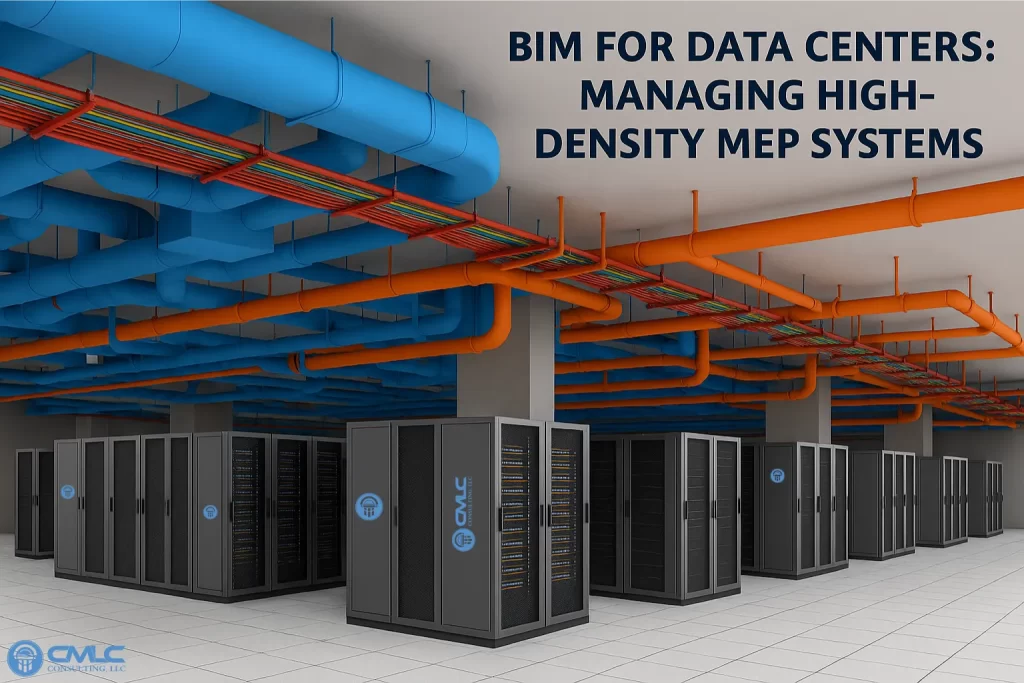
BIM for Data Centers: Managing High-Density MEP Systems

BIM for Data Centers: Managing High-Density MEP Systems

BIM for Data Centers: Managing High-Density MEP Systems

Data centers are the backbone of the digital economy, housing critical IT infrastructure that demands uninterrupted power, cooling, and connectivity. These facilities are highly complex, with dense Mechanical, Electrical, and Plumbing (MEP) systems packed into limited spaces. Traditional design methods often struggle to manage this complexity, leading to coordination errors, inefficiencies, and costly downtime. Building Information Modeling (BIM) offers a smarter, integrated approach to design and manage these high-density environments.


Why BIM is Essential for Data Centers

Unlike conventional 2D drawings, BIM creates a data-rich 3D model that integrates architectural, structural, and MEP systems. This allows stakeholders to visualize, coordinate, and validate every component before construction begins.


Key Benefits of BIM for Data Centers

1. Precise MEP Coordination

Data centers require extensive HVAC systems for cooling, redundant electrical networks, and complex plumbing layouts. BIM ensures:

  • Clash detection between ducts, conduits, and cable trays.
  • Optimized routing in congested ceiling spaces.
  • Compliance with clearance and maintenance access standards.

Explore our BIM Coordination Services for seamless integration of critical systems.


2. Improved Installation Efficiency

With fabrication-ready models (LOD 400), BIM enables:

  • Prefabrication of MEP components.
  • Accurate hanger and support placement.
  • Reduced on-site labor and installation time.

Learn more about MEP BIM Services for high-density environments.


3. Enhanced Cooling and Power Management

BIM supports advanced simulations for airflow and energy efficiency, helping maintain optimal conditions for servers and equipment.


4. Lifecycle Value

Data centers require continuous upgrades and maintenance. BIM models serve as a digital twin, enabling:

  • Predictive maintenance.
  • Quick integration of new equipment.
  • Reduced downtime during retrofits.

Discover our Scan-to-BIM Services for accurate as-built documentation.


Conclusion

Managing high-density MEP systems in data centers is a challenge—but BIM makes it achievable. By improving coordination, reducing installation time, and supporting lifecycle management, BIM ensures data centers operate safely and efficiently.

Partner with CMLC Consulting

We provide end-to-end BIM solutions for data centers, including:

  • Architectural & Structural BIM Modeling
  • MEP Coordination
  • Construction Cost Estimation

Ready to optimize your data center design? Get a Quote today.

Read More
In-House vs Partners BIM Services: Cost, Quality, and Scalability Compared

In-House vs Partners BIM Services: Cost, Quality, and Scalability Compared

In-House vs Partners BIM Services: Cost, Quality, and Scalability Compared

As Building Information Modeling (BIM) becomes a cornerstone of modern construction, firms face a critical decision: Should BIM services be managed in-house or Partner to specialists? Both approaches have advantages and challenges. This blog compares cost, quality, and scalability to help you make an informed choice.


1. Cost Considerations

In-House BIM

  • High Initial Investment: Requires hiring skilled BIM professionals, purchasing software licenses, and maintaining hardware.
  • Fixed Overheads: Salaries, training, and infrastructure costs remain even during low project volumes.

 BIM Partner

  • Cost Flexibility: Pay only for the services you need.
  • No Capital Expense: Avoid software and hardware investments.
  • Lower Risk: Partners reduces financial burden during slow periods.

Explore our Construction Cost Estimation services to keep budgets predictable.


2. Quality and Expertise

In-House BIM

  • Direct Control: Full oversight of workflows and standards.
  • Limited Exposure: Teams may lack experience with diverse project types.

 BIM Partners

  • Specialized Expertise: Access to professionals skilled in BIM Coordination Services, clash detection, and advanced modeling.
  • Latest Tools & Standards: Partners stay updated with industry best practices.

Learn more about Architectural BIM Services and Structural BIM Services for high-quality deliverables.


3. Scalability

In-House BIM

  • Limited Capacity: Scaling up requires hiring and training, which takes time.
  • Resource Bottlenecks: Sudden workload spikes can overwhelm internal teams.

BIM Partner

  • On-Demand Scalability: Quickly ramp up resources for large or complex projects.
  • Global Talent Access: Partners provides flexibility for specialized tasks like Scan-to-BIM Services and MEP BIM Services.

Which Approach Should You Choose?

  • In-House BIM works best for firms with consistent project volumes and long-term BIM strategies.
  • BIM Partners are ideal for firms seeking cost efficiency, specialized expertise, and scalability without heavy investment.

Partner with CMLC Consulting

We offer end-to-end BIM solutions tailored to your needs:

  • BIM Coordination
  • Architectural & Structural BIM Modeling
  • Construction Cost Estimation
  • Scan-to-BIM Services

Ready to optimize your BIM strategy? Get a Quote today.

Read More
BIM for Industrial Facilities: Improving Safety and Efficiency

BIM for Industrial Facilities: Improving Safety and Efficiency

BIM for Industrial Facilities: Improving Safety and Efficiency

Industrial facilities—such as manufacturing plants, warehouses, and processing units—are complex environments where safety and operational efficiency are critical. These projects involve intricate layouts of mechanical, electrical, and plumbing (MEP) systems, heavy equipment, and strict compliance requirements. Traditional design methods often fall short in addressing these challenges, leading to costly errors and safety risks. Building Information Modeling (BIM) offers a smarter, data-driven approach to overcome these hurdles.


Why BIM Matters for Industrial Facilities

Unlike conventional 2D drawings, BIM creates a 3D intelligent model that integrates geometry, specifications, and performance data. This enables stakeholders to visualize, coordinate, and validate every aspect of the facility before construction begins.


Key Benefits of BIM for Industrial Projects

1. Enhanced Safety

  • Clash Detection: Prevents conflicts between structural elements, MEP systems, and equipment.
  • Clearances and Access: Ensures compliance with safety codes for maintenance and emergency access.
  • Fire Protection Coordination: BIM helps maintain proper spacing between sprinklers, smoke detectors, and other life-safety devices.

Explore our BIM Coordination Services for precise safety planning.


2. Improved Efficiency

  • Optimized Layouts: BIM enables efficient routing of HVAC ducts, electrical conduits, and plumbing lines.
  • Prefabrication: Fabrication-ready models reduce on-site labor and installation time.
  • Accurate Quantity Takeoffs: Automated calculations support cost control and procurement planning.

Learn more about MEP BIM Services for industrial projects.


3. Compliance and Quality Assurance

Industrial facilities must adhere to strict standards for fire safety, ventilation, and equipment installation. BIM integrates these requirements into the model, reducing inspection failures and rework.


4. Lifecycle Value

BIM models serve as a digital twin for facility management, enabling predictive maintenance and future upgrades without guesswork.

Discover our Scan-to-BIM Services for accurate as-built documentation.


Conclusion

For industrial facilities, BIM is more than a design tool—it’s a strategic solution that enhances safety, boosts efficiency, and ensures compliance. By leveraging BIM, firms can reduce risks, cut costs, and deliver projects on time.

Partner with CMLC Consulting

We provide end-to-end BIM solutions for industrial projects, including:

  • Architectural & Structural BIM Modeling
  • MEP Coordination
  • Construction Cost Estimation

Ready to transform your industrial facility design? Get a Quote today.

Read More
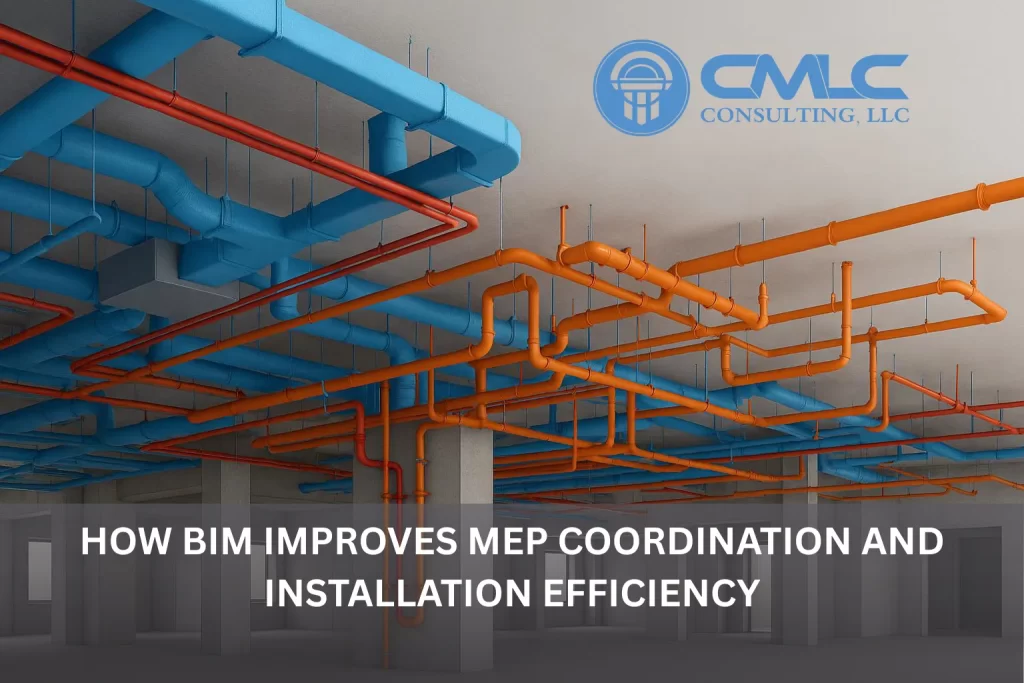
How BIM Improves MEP Coordination and Installation Efficiency

How BIM Improves MEP Coordination and Installation Efficiency

How BIM Improves MEP Coordination and Installation Efficiency

In modern construction projects, Mechanical, Electrical, and Plumbing (MEP) systems are among the most complex and interdependent elements. Even a small clash between ducts, pipes, electrical conduits, beams, or architectural components can cause costly delays, rework, and safety concerns. This is where Building Information Modeling (BIM) dramatically transforms the way MEP systems are designed, coordinated, and installed.

BIM goes beyond 2D drafting to provide an intelligent 3D environment where design decisions are visualized, validated, and optimized long before construction begins. Here’s how BIM significantly improves MEP coordination and installation efficiency.


1. Eliminates Clashes Before Construction Begins

Traditional coordination often relies on manual overlays and designer judgment, making it easy to miss conflicts. BIM changes this entirely.

What BIM Enables:

  • Automated clash detection across architectural, structural, and MEP models
  • Early detection of interference (e.g., duct vs. beam, pipe vs. cable tray)
  • Issue tracking with clear screenshots, markup, and resolution workflows

This proactive approach significantly reduces on-site rework, RFIs, and installation delays.


2. Enhances Cross‑Discipline Collaboration

Multiple trades—mechanical, electrical, plumbing, fire protection, and structural—must work together seamlessly. BIM provides a shared digital environment that improves discipline coordination.

Key Benefits:

  • Everyone works on a centralized model
  • Real-time updates minimize communication gaps
  • Design changes propagate automatically
  • Fewer coordination meetings—more certainty

With BIM, MEP engineers no longer work in silos—each decision is informed, consistent, and aligned with other trades.


3. Improves Installation Accuracy with Fabrication‑Ready Models

BIM allows MEP systems to be modeled to LOD 350–LOD 400, providing fabrication-level detail.

This results in:

  • Accurate shop drawings
  • Exact pipe lengths, duct sizes, and hanger locations
  • Prefabrication opportunities
  • Faster and error-free field installation

This precision improves productivity and reduces installation time on-site.


4. Enables Better Routing and Space Optimization

Mechanical rooms, ceiling voids, and shafts often have limited space. BIM’s 3D visualization makes it easy to plan efficient routing.

BIM helps teams:

  • Avoid congested zones
  • Maintain code-required clearances
  • Optimize pathways for pipes, conduits, and ducts
  • Verify ceiling heights and equipment access

The result? A cleaner installation, easier maintenance, and improved system performance.


5. Supports Accurate Quantity Takeoffs and Cost Control

BIM models contain reliable geometry and metadata, enabling automated takeoffs.

Benefits include:

  • Accurate BOQs (Bill of Quantities)
  • Reliable bidding and procurement
  • Reduced waste and cost overruns
  • Precise installation planning

This level of cost predictability strengthens project ROI.


6. Ensures Compliance with Codes and Safety Standards

MEP systems must follow strict fire, mechanical, and electrical codes. BIM helps teams test compliance before installation.

For example:

  • Smoke detectors must maintain minimum distances from sprinklers
  • Access clearances for equipment must be respected
  • Fire-rated walls and penetrations can be pre‑validated

By modeling these requirements, BIM reduces inspection failures and rework.


7. Improves Field Installation Through BIM‑to‑Site Technology

Modern BIM workflows extend to construction sites with:

  • 3D model referencing on tablets
  • QR‑coded drawings
  • Laser layout systems
  • AR/VR-assisted installation guidance

This ensures the installation team works with complete clarity and confidence.


Conclusion

BIM has become indispensable for MEP coordination and installation. By eliminating clashes, improving collaboration, enabling precise fabrication, and ensuring compliance, BIM delivers smoother workflows and dramatically improves project outcomes.

Firms that leverage BIM for MEP coordination experience:

  • Fewer delays
  • Lower rework cost
  • Faster installation
  • Higher quality results
Read More
BIM for HVAC, Electrical, and Plumbing: A Comprehensive Guide

BIM for HVAC, Electrical, and Plumbing: A Comprehensive Guide

BIM for HVAC, Electrical, and Plumbing: A Comprehensive Guide

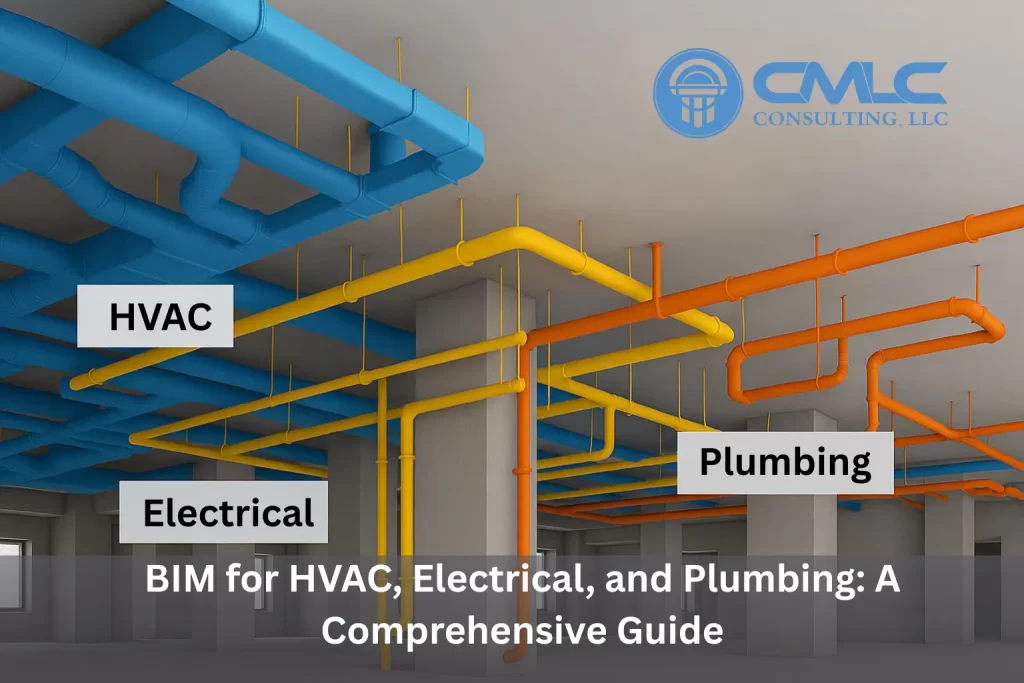
In modern construction, Mechanical, Electrical, and Plumbing (MEP) systems form the backbone of building functionality. Coordinating these systems is complex—ducts, pipes, conduits, and equipment often compete for limited space. Traditional 2D drawings make this process error-prone, leading to costly clashes and delays. Building Information Modeling (BIM) solves these challenges by providing a data-rich 3D environment for design, coordination, and installation.

This guide explores how BIM transforms HVAC, electrical, and plumbing workflows.


1. BIM for HVAC Systems

Heating, Ventilation, and Air Conditioning (HVAC) systems require precise routing and space planning. BIM enables:

  • Accurate duct and equipment placement with real-time clash detection.
  • Energy analysis for optimized performance.
  • Fabrication-ready models for prefabrication and faster installation.
  • Compliance with clearance and maintenance access standards.

Explore our MEP BIM Services for HVAC coordination and modeling.


2. BIM for Electrical Systems

Electrical layouts involve conduits, cable trays, panels, and lighting—all requiring coordination with structural and architectural elements. BIM provides:

  • 3D visualization of electrical pathways.
  • Load calculations and circuiting integrated into the model.
  • Clash-free routing with mechanical and plumbing systems.
  • Accurate quantity takeoffs for procurement and budgeting.

Learn more about BIM Coordination Services for electrical design integration.


3. BIM for Plumbing Systems

Plumbing design must account for water supply, drainage, venting, and fire protection systems. BIM ensures:

  • Precise pipe routing in congested spaces.
  • Code compliance checks for slopes and clearances.
  • Integration with fire sprinkler layouts to avoid false alarms (e.g., maintaining 18-inch spacing between smoke detectors and sprinklers).
  • Prefabrication-ready details for faster installation.

Discover our Scan-to-BIM Services for accurate as-built plumbing models.


Benefits of BIM for MEP Coordination

  • Early clash detection reduces costly rework.
  • Improved collaboration among trades.
  • Optimized space utilization in ceilings and shafts.
  • Accurate cost estimation through automated takeoffs.
  • Enhanced installation efficiency with fabrication-level detail.

Partner with CMLC Consulting

We specialize in delivering end-to-end BIM solutions for HVAC, electrical, and plumbing systems. From LOD 100 conceptual models to LOD 500 as-built documentation, our services ensure accuracy, compliance, and efficiency.

Ready to streamline your MEP workflows? Get a Quote today.

Read More

Before BIM vs After BIM: How Modern BIM Workflows Transform Construction Coordination

Before BIM vs After BIM: How Modern BIM Workflows Transform Construction Coordination

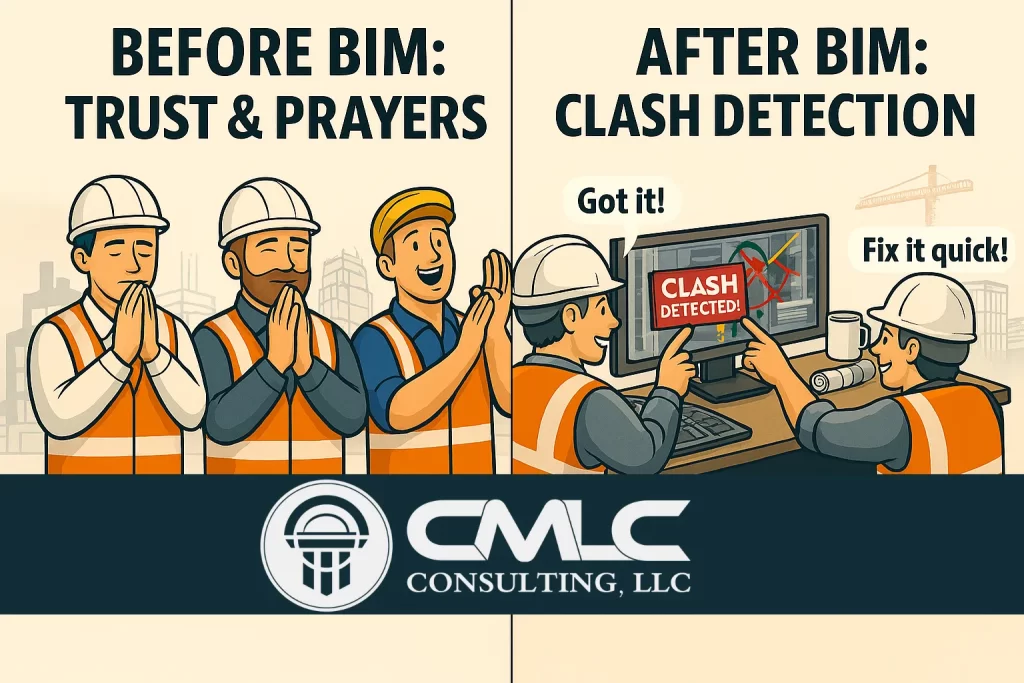
In the AEC industry, coordination has always been one of the biggest challenges. Before the adoption of Building Information Modeling (BIM), project teams relied heavily on experience, assumptions, and manual reviews to catch issues. This often meant that errors were only discovered on-site, leading to costly rework, delays, and frustration.

Today, BIM has completely transformed how coordination happens across architectural, structural, and MEP disciplines. Instead of depending on guesswork, project decisions are now backed by data-driven insights, clash detection tools, and crystal-clear visualizations.

Let’s break down how BIM changed the game.


Before BIM: Trust, Assumptions & Hope

In traditional workflows, coordination relied on:

  • Manual 2D drawing overlays
  • Experience-based judgment
  • Limited visualization
  • High risk of missing clashes
  • Late discovery of design conflicts

Teams often had no choice but to hope everything fits on site—a risky and expensive way to execute large projects.


After BIM: Clash Detection, Data & Confidence

BIM replaces assumptions with accuracy.
Using tools like Navisworks, Revit, and BIM 360, teams can:

  • Detect clashes between MEP, structural, and architectural elements early
  • Generate screenshots and reports for quick issue resolution
  • Collaborate in real-time across disciplines
  • Reduce RFIs and eliminate major coordination headaches
  • Improve constructability before construction starts

Instead of relying on hope, BIM empowers teams with visual proof, clear documentation, and automated detection.


Why This Change Matters

The shift from traditional coordination to BIM-driven workflows results in:

1. Fewer On-Site Surprises

Clashes like duct passing through beams or pipes colliding with walls are identified during preconstruction—not during installation.

2. Better Communication

Screenshots, markups, and clash reports create a shared understanding among all stakeholders.

3. Faster Decision-Making

With clear visuals and data, teams can solve problems in minutes rather than days.

4. Higher Project ROI

Early error detection directly reduces:

  • Rework
  • Material wastage
  • Labor cost overruns

5. Greater Confidence in the Design

Stakeholders know exactly what will be built—no ambiguity.


How Expert BIM Services Help

If your team is struggling with coordination challenges, outsourcing to a professional BIM partner can elevate your project outcomes. Expert BIM services offer:

  • Clash detection & resolution
  • MEP, architectural & structural modeling
  • Constructability analysis
  • Accurate quantity takeoffs & 3D visualization
  • Scan-to-BIM for renovation and as-built modeling

Professional teams bring consistency, advanced tool expertise, and proven workflows that prevent issues before they escalate.


Final Thoughts

The evolution from “trust and luck” to “data and accuracy” is what makes BIM indispensable today. BIM doesn’t just improve workflows—it builds confidence, saves money, and ensures projects run smoothly.

Read More
MEP Coordination Insight: Why Proper Smoke Detector & Sprinkler Spacing Matters in BIM Projects

MEP Coordination Insight: Why Proper Smoke Detector & Sprinkler Spacing Matters in BIM Projects

In Mechanical, Electrical, and Plumbing (MEP) design, even small coordination mistakes can lead to major functional issues during construction and occupancy. One of the most important—yet often overlooked—details is the required spacing between smoke detectors and sprinkler heads. Incorrect placement can result in false alarms, system malfunctions, or failed inspections.

This is where BIM-driven MEP Coordination plays a crucial role.


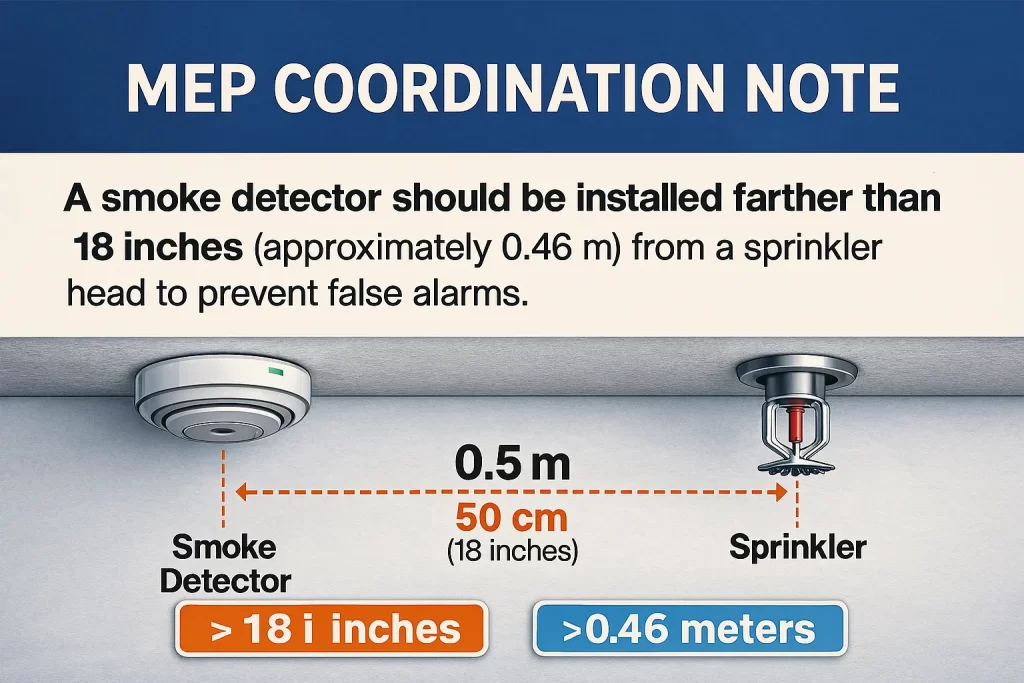
The Required Spacing: A Quick Reference

According to standard MEP coordination guidelines, a smoke detector must be installed at least 18 inches (0.46 m) away from a sprinkler head.
This spacing prevents the sprinkler’s water spray pattern or heat disturbances from affecting the detector’s performance.

Why This Distance Is Critical

  • Prevents false alarms triggered by heat or water mist
  • Ensures proper activation of detectors and sprinklers
  • Avoids code violations during inspections
  • Improves life-safety system reliability

Even a few inches of misalignment can compromise the entire safety system.


How BIM Helps Prevent These Coordination Errors

Traditional 2D drawings make it difficult to maintain accurate spacing between life‑safety devices. But BIM 3D modeling and clash detection allow teams to coordinate with far greater accuracy.

1. Visual Validation

BIM tools give a clear visual of ceiling layouts, helping designers place detectors, sprinklers, lights, and diffusers without conflicts.

2. Automated Clash Detection

Platforms like Revit and Navisworks detect spacing issues instantly—well before installation.

For advanced coordination, explore BIM Coordination Services (link can be added to your site).

3. Code Compliance Built Into the Model

MEP templates and BIM standards can include predefined spacing rules, ensuring every device meets required guidelines.

4. Faster Design Approvals

Clear 3D models reduce questions from contractors, consultants, and AHJs (Authorities Having Jurisdiction).


Why Proper MEP Coordination Matters

  • Enhances safety system performance
  • Reduces expensive on‑site rework
  • Prevents delays caused by failed inspections
  • Supports accurate quantity takeoffs and installation plans
  • Ensures long‑term reliability of fire protection systems

With BIM, these benefits become achievable even in complex buildings.


Final Thoughts

Proper spacing between fire alarm devices and sprinkler heads isn’t just a design detail—it’s a lifesaving requirement. Leveraging professional BIM and MEP coordination workflows ensures that every fire safety component is installed with precision, compliance, and confidence.

Read More