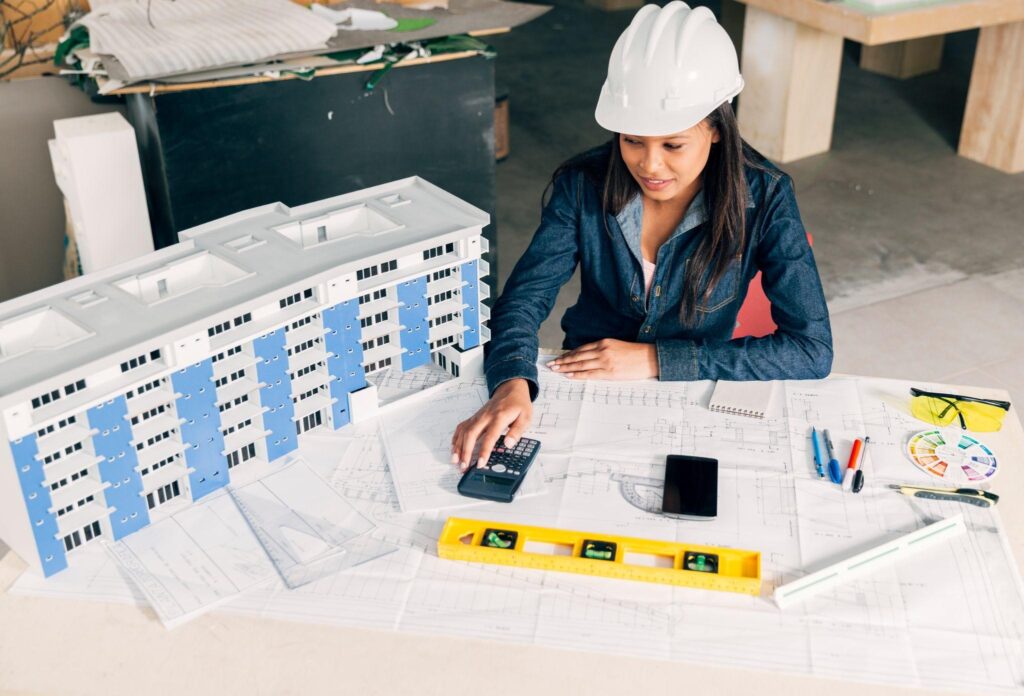
Cost overruns remain one of the most persistent challenges in the construction industry. Unplanned expenses not only impact profitability but can also delay schedules, damage client trust, and create disputes among project stakeholders. As construction projects become more complex, relying on traditional workflows and disconnected documentation increases financial risk. This is where professional BIM (Building Information Modeling) services play a critical role in controlling costs and improving project outcomes.
How BIM Services Help Control Costs
Professional BIM services address these challenges by creating a collaborative, data-driven project environment.
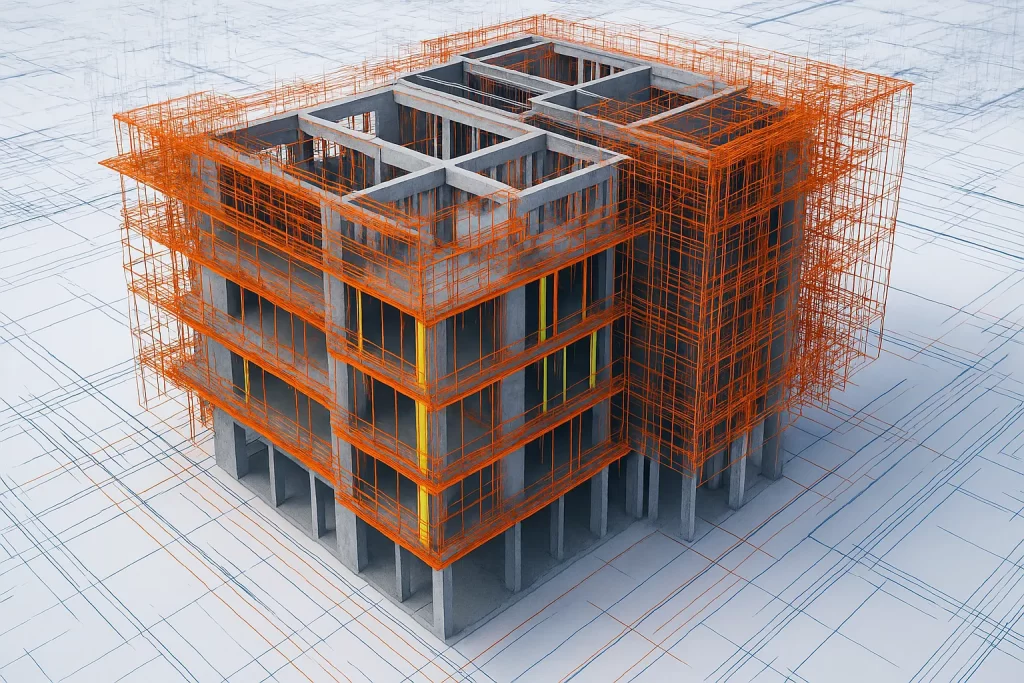
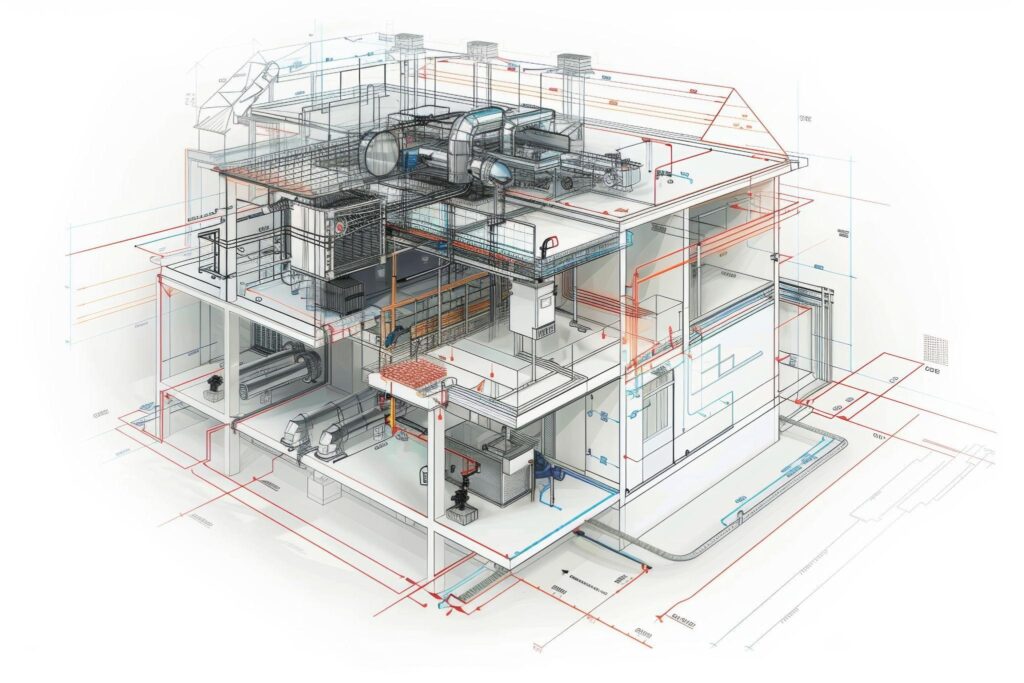
1. Clash Detection and Trade Coordination One of the most powerful advantages of BIM is early clash detection. BIM coordination services identify conflicts between architectural, structural, mechanical, electrical, and plumbing systems during the design stage. Resolving clashes before construction begins prevents expensive rework, material waste, and schedule of disruptions on site.
2. Accurate Quantity Takeoffs and Cost Planning BIM-based quantity takeoffs provide precise material quantities directly from the model. Unlike manual methods, BIM-driven takeoffs reduce human error and ensure estimates are aligned with the actual design. This accuracy helps contractors and owners manage procurement costs and avoid budget surprises.
3. Improved Design Accuracy and Constructability Architectural, structural, and MEP BIM modeling services deliver highly detailed and constructible models. These models reduce ambiguities in drawings, minimize change orders, and support better planning throughout the construction phase.
4. Better Communication and Decision-Making Centralized BIM models serve as a single source of truth for all stakeholders. Designers, contractors, and owners can collaborate more effectively, respond faster to design changes, and make informed decisions that keep costs under control.
Conclusion
By improving coordination, accuracy, and transparency, professional BIM services significantly reduce the risk of construction cost overruns. Investing in BIM early in the project lifecycle leads to better cost control, fewer surprises, and more successful project delivery.
Partner with CMLC Consulting
Don’t let cost overruns derail your next project. Get a Quote today and discover how our BIM expertise can save you time and money.
There is a common feeling of frustration when it comes to renovation and retrofit projects. Unfinished as-built drawings, concealed MEP systems, unforeseen site conditions, and design assumptions are crumbling as soon as construction begins.
Engineers and owners often enter a renovation site with the hope that the building will be easy to cooperate with, and find out that old systems are not documented. These unknowns cause conflicts, time slippage, project cost increases, and embittered project teams.
This is the point when Scan-to-BIM becomes necessary. It can be used to improve the success of MEP BIM coordination by offering a solid backbone to decision-making through capturing the real-world conditions of a building and providing a highly accurate and intelligence-rich 3D representation of the building.
Why Existing Buildings Depend on Scan-to-BIM
Current facilities are hardly accompanied by proper documentation. MEP systems get replaced, rerouted, increased, or altered over the course of decades without any record-keeping. Any minor mismatch, even the undocumented conduit, can readily disorient coordination.
Scan-to-BIM removes the guesswork. It scans all dimensions, angles, and obstructions with accuracy by high-density laser scanning.
The result is a model of the real situation of the building rather than what the old drawings indicate. In the case of design teams, this is what will act as a starting point, which will result in accuracy at each step forward.
Strengthening MEP BIM Coordination
True MEP BIM coordination requires a model that reflects reality. When relying on inaccurate or outdated drawings, clashes become inevitable.
With Scan-to-BIM, the coordination team works with a clean, verified base model that aligns with on-site conditions. It transforms how MEP systems are planned and routed.
Clash detection becomes more meaningful because engineers are coordinating against the actual geometry of the building.
This increases preconstruction accuracy, minimizes RFIs, and sharply reduces rework. It also ensures that new mechanical, electrical, and plumbing layouts fit perfectly within existing constraints. This makes installation faster, safer, and more efficient.
Dealing With Tight Spaces and Legacy Constraints
Older buildings often have congested ceiling voids, complicated mechanical rooms, and systems that have been layered on top of one another for decades.
Guessing how new systems will fit into these environments is a major source of project risk.
Scan-to-BIM provides visibility into these constraints early on. By understanding exact dimensions, offset distances, and obstructions, designers can create routing strategies that work in real space.
This allows MEP teams to confidently determine achievable system layouts while avoiding redesigns late in the project.
Improved Design Validation and Construction Planning
For architects and engineers, validating a renovation concept can be challenging when existing conditions are uncertain.
A precise Scan-to-BIM model allows project teams to examine feasibility before committing to a design. This reduces assumptions and strengthens decision-making.
This clarity is especially valuable for owners and developers managing tight budgets or strict timelines.
With accurate information, cost forecasts become more stable, material planning is simplified, and construction schedules are less vulnerable to unexpected discoveries.
Boosting Collaboration and Stakeholder Alignment
Renovation projects require close coordination between architects, engineers, MEP contractors, project managers, and ownership groups.
Scan-to-BIM acts as a central reference point that everyone can trust. A shared 3D environment reduces miscommunication, speeds up design review meetings, and aligns expectations across all parties.
When integrated with BIM services, the model becomes an interactive tool that facilitates smoother discussions between design intent and field execution.
Reducing Rework, Delays, and Cost Overruns
Unexplained site conditions are one of the most costly issues that are associated with renovation.
Scan-to-BIM has a significant impact on minimizing this risk since issues are exposed prior to the construction. By having the correct geometry and confirmed as-built information, the MEP coordination is more accurate, leading to a reduction of clashes, fewer surprises, and change orders.
This has a direct impact on less waste of labor, more predictable costs, and clear sailing on-site.
Long-Term Value for Facility Management
Owners and facility operators receive an online display of the building that can be used to aid in maintenance, equipment monitoring, and upcoming changes.
The organization can also use a living digital model to inform operations much later after the renovation is finished, instead of using random records or old-fashioned 2D drawings.
Conclusion: A Smarter, More Predictable Way to Renovate
Scan-to-BIM is reshaping how renovation and retrofit projects are delivered. Combined with powerful MEP BIM coordination services, it gets rid of uncertainty and enables project teams with the right data they require to build fearlessly.
CMLC Consulting is at your service, providing you with BIM support to upgrade your renovation or retrofit processes with reliable and high-precision BIM support.
Several construction projects today are equally challenged. This has led to delays, design conflicts, and budget overruns due to poor teamwork and a lack of talented BIM experts.
In many cases, engineers, architects, and MEP contractors fail to find the right expertise at the right time. This causes frustration among teams, with heavy deadlines and budget overruns.
BIM staffing solutions have a strategic benefit here. Outsourcing skilled BIM technology professionals will help organizations to optimize their operations and deliver projects correctly and within the required time.
The Increasing Demand for Talented BIM Professionals
BIM technology has redefined the construction environment, which is facilitating the digitalization of buildings, infrastructure, and systems. It enables all stakeholders to work harmoniously and operate at the same level during the project lifecycle.
However, the fast implementation of BIM has led to a lack of skilled professionals who can handle, model, and coordinate complex projects.
Most organizations do not have the in-house skills to utilize BIM. This is posing risks of delays and introducing errors. This issue can be overcome by outsourcing experienced BIM professionals..
Advantages of Outsourcing BIM Experts
1. Cost Efficiency
Hiring a full-time BIM team comes with salaries, benefits, training, and recruitment expenses, which may be a big financial burden and are mostly applicable to short-term projects.
Outsourcing enables businesses to obtain professional skills and pay only what is required. This increases the work quality at a decreased overhead.
2. Access to Specialized Expertise
BIM spans multiple disciplines, including architectural modeling, structural modeling, MEP coordination, clash detection, and cost estimation.
Outsourced experts bring specialized knowledge customized to your project requirements. This ensures precise models, optimized designs, and efficient workflows.
3. Scalability and Flexibility
Project demands fluctuate throughout the construction lifecycle. Outsourcing provides the flexibility to scale your BIM team up or down based on project needs, without the long-term commitment of permanent staff.
This agility ensures timely project delivery even during peak workloads.
4. Faster Project Delivery
Experienced BIM professionals handle complex tasks, coordinate multiple disciplines, and resolve clashes before construction begins.
Outsourcing accelerates timelines, minimizes delays, and enhances collaboration across all stakeholders.
5. Focus on Core Competencies
By leveraging outsourced BIM expertise, firms can concentrate on their core competencies, that is, design innovation, construction management, and client engagement, while specialists handle BIM modeling and coordination.
How BIM Staffing Solutions Work
The BIM staffing solutions include collaboration with a respected BIM consulting firm that brings trained specialists to work on particular jobs or project stages. These professionals may operate either remotely or on-site, becoming a part of existing teams, tools, and workflows.
Common tasks handled by outsourced BIM experts include:
3D modeling and visualization
Clash detection and coordination
MEP modeling and cost estimation
Scan-to-BIM for renovations or retrofits
Material takeoff and quantity estimation
This ensures high-quality deliverables, accurate documentation, and efficient collaboration, regardless of project scale or complexity.
Why Choose CMLC Consulting for BIM Staffing
CMLC Consulting is a reliable ally to companies that desire to make the most of BIM. Our highly talented BIM team offers project-specific BIM staffing solutions according to project objectives and timelines.
Professionals are part of your team and provide services of architectural, structural, and MEP modeling, cost estimation.
Outsourcing BIM specialists to CMLC Consulting enables the decision-makers to reach greater efficiency. It also helps in cost reduction, and completion of the project more quickly.
Need to resolve your BIM problems and increase the efficiency of the project? Partner with CMLC Consulting today and access skilled professionals who bring accuracy, efficiency, and innovation to your project.Contact CMLC Consulting to get a free quote on BIM services.
Plumbing in MEP systems may be one headache, but try designing HVAC systems where ducts, piping, equipment, and structural elements must all coexist, and the coordination challenges multiply. Errors or late clashes in HVAC modeling systems cost valuable time and money and often lead to on-site rework or compromised performance.
Building Information Modeling is transforming the way HVAC systems are designed, documented, and delivered through its ability to provide integration of HVAC modelling with real-time coordination and support of BIM coordination services.
It is not only visual; BIM design facilitates data-rich modelling, simulation, and collaboration between the architects, MEP engineers, contractors, and owners. Let’s read how BIM can help in overcoming HVAC challenges.
Understanding the Coordination Challenge in HVAC Projects
Many HVAC coordination issues arise from the following:
Spatial conflicts between ductwork/piping and structural or architectural elements.
Late changes or design revisions that ripple through interconnected systems.
Lack of shared, accurate information between teams (architectural, structural, MEP).
Manual or disconnected workflows that rely on 2D drawings make ng detection of clashes difficult until construction.
Inefficient documentation, delays, and rework caused by insufficient modelling or communication.
The Coordination Challenges in HVAC Design
Before exploring how BIM helps, it’s important to recognize the coordination issues HVAC professionals face during design and construction.
1. Frequent Clashes with Structural and MEP Components
HVAC systems often compete for limited ceiling and wall space with electrical conduits, plumbing lines, and structural elements. In 2D workflows, these clashes are typically discovered late during construction, leading to costly on-site modifications and schedule delays.
2. Limited Visualization of Spatial Constraints
It is challenging to read complicated spatial associations in 2D drawings. Unless there is a definite visualization, ducts and equipment cannot fit as planned when construction starts.
3. Inconsistent and Fragmented Information Across Teams
In large-scale projects, many teams often rely on separate sets of drawings or outdated revisions.
Such disalignment results in routing errors, inefficiency in layout, as well as poor coordination of mechanical disciplines.
4. Inefficient Design Iterations
When architectural or structural layouts change, HVAC design has to adapt.
Without an integrated platform, updating and communicating these revisions can become time-consuming and prone to human error, causing delays and reducing productivity.
How BIM Design Resolves These Coordination Challenges
BIM also allows all stakeholders of a project to work in the same 3D environment.
The BIM system has advanced visualization features, and HVAC engineers can see the system from different perspectives and comprehend how it interacts with the architecture.
All the teams operate based on a coordinated model. Updates are synchronized, and revisions are monitored.
Since Revit is a parametric model, the design can be modified within a short period of time without interfering with the rest of the items.
The Final Note
The coordination problems with HVAC may delay the projects and increase the costs. BIM design helps fill such gaps with real-time working, accurate 3D visualization, and data exchange across all disciplines. This guarantees the installation of all the systems the first time around. If you are looking to eliminate HVAC design inefficiencies, CMLC Consulting delivers BIM solutions that simplify coordination, reduce rework, and enhance project outcomes. Contact us today to see how our expertise can streamline your next project so your contractors can reach their fullest potential.
The problem starts when projects routinely hit site delays, budget overruns, and quality snags because MEP systems that include ducts, pipes, conduits, and equipment are designed in silos and only found to clash during installation.
Last-minute routing changes are charged to architects and MEP contractors. The conflicts in design and the discovery of coordination problems lead to huge rework, an increase in costs, and time risk.
MEP BIM turns that reactive cycle into a proactive workflow. It brings out discipline in a BIM environment to conduct clash detection. This way, conflicts are solved in the course of design coordination by teams.
Multiple industry studies show that early BIM clash detection reduces rework and change orders meaningfully, improving project cost predictability and constructability.
What a robust MEP plan delivers
It reduces on-site conflicts and rework. Meanwhile, coordinated MEP models identify spatial conflicts before procurement or installation, saving rework money (review studies and case studies show rework savings of between 30 and almost 50% where BIM clash detection is deployed at an early stage).
MEP BIM coordination creates fabrication-level models and extractable shop drawings, making it possible to prefabricate off-site, construct more quickly, and even reduce the amount of manpower present on-site. This compels time constraints and predictable sequencing.
Better coordination across disciplines. Shared models and standardized LOD/coordination protocols reduce information gaps between architects, structural engineers, and MEP teams fewer RFIs and quicker approvals.
Improved cost control and lifecycle value. When BIM coordination reduces change orders and waste, total project costs fall, and building performance can be optimized by integrating MEP data into operations. Thoughtful MEP BIM planning, therefore, benefits both construction and long-term O&M budgets.
How to make your MEP BIM plan work
Set coordination rules and LOD up front. Define exact deliverables (LOD 300 vs 400), clash tolerances, and issue-resolution ownership before modelling begins. This eliminates “coordination by opinion.”
Run iterative clash cycles tied to milestones. Waiting until the end of a final run to make a design change is a bad idea; schedule weekly or milestone-long coordination sprints so that design changes can be sorted.
Use the model for fabrication and sequencing. Create a produce shop drawing, BIM-to-CNC output, and prefabricated package of products right out of the coordinated model to minimize errors in the factory and on-site.
Assign a dedicated BIM coordinator. An experienced coordinator enforces standards, manages clash logs, and drives cross-discipline meetings so issues are closed rather than deferred.
Leverage coordination data for handover. Deliver asset information, as-built models, and O&M data at turnover to convert construction savings into operational benefits over the building lifecycle.
Ready to enhance your next project?
MEP BIM is not an upgrade or a luxury of CAD; it is the backbone of coordination that avoids the single biggest cause of schedule delay and cost overrun on MEP-intensive projects. A properly designed BIM plan assists the architect, designers, contractor, and owners in producing works that can be effectively constructed.
When your projects continue to tolerate clashes as normal aspects of construction, then it is time to change the playbook. CMLC Consulting assists teams to execute MEP plans, establish coordination protocols, operational clash cycl, and provide models ready to commence fabrication to ensure projects are completed on time and on budget.
Contact us to audit your current MEP workflows and build a customized plan with MEP BIM services.
The MEP professionals have found the biggest privilege in Building Information Modeling. This software offers engineers, architects, and contractors the powerful tools that they can use in order to streamline their projects.
With Revit as BIM’s platform, it offers a solution. Therefore, plumbing engineers and MEP teams can be more accurate, collaborate more efficiently, document quickly, and have fewer clashes with the help of Revit BIM services. Read more to see how to achieve this efficiency.
The plumbing design challenge and how Revit steps in
Conventional plumbing design processes typically use individual 2D CAD drawings for water supply, drainage, venting, and fixtures. Such drawings are likely to be misaligned with structural or architectural features, concealed conflicts, and late identification of the problems.
Revit is used as a part of BIM (Building Information Modeling) processes to create a 3D representation of the plumbing network of the building in the presence of the building geometry and all the other systems (structural, architectural, MEP).
With this integrated model, teams working on plumbing can visualise routing, detect clashes early, and automatically update the layout when changes occur elsewhere in the model.
For example, Revit allows real-time coordination such that when structural members shift, plumbing runs adjust, or at least flag issues immediately.
The overall adoption of BIM is increasing: a report estimated that 51% of MEP and structural engineers have used BIM on 50% or more of their projects.
How Revit BIM services unlock plumbing design efficiency
1. 3D modelling and visualisation
The designers will have a clearer view of routing, clashes, and complex geometries by developing a complete 3-dimensional display of the plumbing network with the help of Revit services / Revit 3D modeling.
For example, the plumbing systems can also be viewed and looked at differently in the virtual 3D model.
The capability to visualize in 3D on top of 2D will allow MEP professionals to find clashes and enhance coordination in general.
2. Clash detection and coordination with other fields
When the plumbing systems interfere with the structural elements, ducts, or architectural finishes, this is also one of the greatest sources of rework in construction.
These conflicts are identified early on with the help of Revit and BIM coordination, as opposed to on-site amendments, which would be costly. Real-time coordination removes a large number of problems found with the manual adjustments in CAD, resulting in better outcomes.
3. Parametric families and reuse of design elements
Revit 3D modeling can be used to create and utilize parametric “families” of plumbing components (pipes, valves, fixtures), which can be reused in any project and can be easily adapted.
The family enables the production of 3D parametric objects in plumbing with numerous repeated design elements. Revit families will save time and save on the repetition of work.
4. Automated documentation and reduced manual effort
When the model is built in Revit, documentation for fabrication, installation, and shop drawings can be extracted more automatically.
This eliminates redundant manual drafting, reduces error rates, and accelerates project delivery. One vendor notes: by automating repetitive tasks like calculating pipe sizes, flow rate, and pressure losses, teams can focus on more complex design challenges.
Maximize efficiency in Revit plumbing.
Start with clean building geometry and a clear model setup
Use well-defined para metric families
Establish coordination workflows early
Maintain model data integrity
Update the model throughout the project, or get professionals to do it
Enhance your Revit plumbing design with a reliable partner
The benefits of the Revit services adoption in plumbing design are quite convincing: the reduced number of clashes and rework, quicker documentation, enhanced interdisciplinary coordination, and an enhanced use of design objects. Consider the fact that half of MEP engineers are currently utilizing BIM in most of their projects.
Transform how your team designs and collaborates. Contact CMLC Consulting today to see how our Revit BIM services can elevate your project workflow.
Educational infrastructure is not only about having a well-designed classroom and corridors, but it is also about setting up a flexible, sustainable, and technology-integrated environment that motivates learning and supports overall learning outcomes.
However, architects, engineers, and developers face several challenges when working on school projects, such as limited budgets, tight deadlines, strict safety requirements, and the need to complete work without disturbing ongoing classes.
Traditional 2D workflows usually lead to miscommunication between teams, design errors, and costly delays.
As a result, projects go over budget and fail to meet expectations. This is where BIM services make a difference. They transform how educational facilities are planned, designed, built, and maintained.
Understanding BIM in Educational Construction
Building Information Modeling (BIM) is a process that generates a computerized illustration of the physical and functional attributes of a structure.
This is critical in school and campus building projects. Schools and colleges have multiple spaces, classrooms, labs, auditoriums, dining rooms, and sports areas that have different structural needs.
BIM makes sure that these systems work as a unit, both in design and in the management of facilities.
1. Simplifying Complex School Construction Projects
Educational construction projects must meet strict safety, accessibility, and energy efficiency standards, often while operating within the school’s schedule.
BIM allows early-stage collaboration, enabling teams to visualize design intent, validate code compliance, and plan phased construction. This approach minimizes disruption, especially for projects that occur on active campuses.
The U.S. Department of Education emphasizes that efficient facility design directly affects learning outcomes, making BIM’s precision in planning even more valuable.
2. Clash-Free Coordination Between Disciplines
In educational buildings, systems like HVAC, fire protection, IT cabling, and structural framing often overlap. Even a minor coordination error can lead to significant rework later.
With BIM, all disciplines, such as architectural or structural, are integrated into a clash-free digital model. The software detects potential conflicts before they happen onsite. It reduces time and save materials from wasting.
3. Sustainable and Efficient School Design
Modern school design focuses on sustainability. With BIM, teams can perform energy modeling, daylight analysis, and test material performance early in the design process, leading to smarter, more eco-friendly buildings.
The U.S. Green Building Council (USGBC) emphasizes that schools with digital models attain a better LEED certification score and long-term savings.
BIM facilitates the analysis of energy consumption patterns and optimization of natural ventilation, lighting, and insulation, decreasing the energy expenses throughout the building’s lifespan and supporting the green building requirements.
4. The Improved Safety of Construction in Every Phase
When working in construction, campus safety and minimal disruption are important. BIM makes it possible to sequence construction (4D modeling) so that every construction step can be seen before it begins.
The BIM project managers will be able to consider the logistics, material movement, and risks on-site beforehand, which will allow them to implement safer construction and organize the process more effectively when the construction occurs during the teaching year.
5. Data-Driven Facility Management and Operations
All components, such as lighting fixtures, HVAC units, furniture, and safety systems, can be connected with operational data, warranty, and maintenance schedules.
Schools are also gaining an advantage with COBie-ready as-built models that enable facility teams to effectively maintain, repair, or even upgrade assets across multiple campuses.
This not only assures that schools will open on time and on budget, but also that they will be efficient over the decades.
6. Fulfilling Future Needs of Learning Spaces
The learning environment is changing fast. Classrooms are becoming more flexible and technology-driven to support new teaching methods. With BIM, it’s easier to design and plan layouts that can be expanded, rearranged, or upgraded in the future, without needing a complete redesign.
Colleges like Cambridge and districts like the Los Angeles Unified School District have already used BIM to simplify project coordination, save on energy consumption, and improve operational planning in the long term.
Conclusion
Projects in the field of education require accuracy, security, and creativity. Educational projects demand accuracy, safety and creativity, and BIM delivers all three. BIM design improves the actual performance of structural design.
To the architects, engineers, MEP contractors, and developers, BIM offers fewer surprises, improved teamwork, and smarter buildings that are helpful to the future generation of learners.
If you’re planning a new school, university, or campus facility project, CMLC Consulting can be your trusted partner. Our BIM services empower your team with data-driven insights, clash-free coordination, and lifecycle management for every phase of your project.
All the decision-makers are affected by a traditional, expensive dilemma: projects that appear efficient but perform poorly, increased energy bills, retrofits that are expensive, and too much building waste. Scattered data, coordination failure at the end, and poor handover information mean that owners, developers, engineers, and MEP contractors often inherit buildings that fail to achieve sustainability goals and create unnecessary operational expenses.
BIM technologyhas a direct response to that gap because it converts fragmented project information to one and practical digital model
The result? Earlier decisions backed by reliable simulation, reduced rework on site, and a building lifecycle that’s measurably greener and less expensive to operate. Let’s read it further!
Data-driven decisions made early give fewer surprises later
BIM also puts the geometry, materials, systems, and metadata in a central place to allow the teams to test energy performance when the design is still flexible.
Thermal and daylight simulation at an early stage, combined with the BIM model, allowed the architects and MEP to experiment (facade options, glazing, orientation, HVAC sizing) and measure the effects of its operation on the building before construction.
This visibility decreases the chance of expensive mid-life modifications and helps to guarantee that designs are green at the start.
Several studies in the industry reveal that the energy analysis through BIM has a significant positive difference between the predicted performance and the traditional one.
Smarter energy modelling and measurable performance gains
Within the BIM (or associated energy engines), FEA-style energy modelling provides an opportunity to make accurate predictions of the Energy Use Intensity (EUI), HVAC loads, and daylighting benefits.
Recent comparison studies saw buildings that were designed using BIM tools scoring significantly lower EUI than those that were designed using conventional workflow and showed that BIM-led optimisation could make projects not just theoretically compliant but also practically reduce operational costs.
For decision-makers, that translates into concrete ROI: lower utility costs, easier attainment of certifications, and reduced risk of failing performance guarantees.
Reduce waste and embodied carbon with accurate quantities
The waste and over-ordering are two significant sources of project cost overruns and embodied carbon. Quantity takeoffs of BIM and clash detection mitigate ordering mistakes and work on-site.
The material recovery and reuse can also be optimized during retrofits or end-of-life phases with the help of a digital twin or BIM-driven demolition planning in combination.
Recent research on BIM-driven digital twin approaches demonstrates improved demolition waste classification and transport efficiencies, a clear win for circularity and cost control.
Collaboration that aligns sustainability with delivery
BIM is not a modelling tool; it is a collaborative platform. BIM services provided by the cloud allow architects and structural engineers who operate on the same source of truth to resolve clashes and design trade-offs before they reach the site.
That shared environment makes sustainability an integrated project objective (not an add-on), improves procurement decisions, and shortens delivery timelines, all of which lower the project’s carbon footprint and cost of delivery.
Lifecycle value: operations and monitoring
Sustainability wins compound over time. BIM as-built data and handover packages create a digital baseline for facility management systems and IoT integrations, enabling continuous monitoring of energy use and targeted maintenance.
Owners and facility managers can use BIM-linked data to prioritise retrofits, tune systems, and demonstrate ongoing performance against sustainability KPIs, preserving asset value and reducing lifecycle costs.
Compliance, certification, and corporate strategy
There is an increasing trend by regulators and clients to ensure that buildings are of verified standards of sustainability. BIM makes compliance easier by integrating code checks and certification documentation, making it easier to audit and limiting the administrative overhead on a project team.
At an organisational level, industry surveys show digitally mature firms extract disproportionate sustainability gains, meaning investing in BIM services is both a technical and strategic lever for corporate ESG targets.
The bottom line for decision-makers
To engineers, architects, and MEP contractors, the BIM technology transforms the promises of sustainability into tangible results: less energy used in operations, less waste and embodied carbon, less change order re-work, and specific routes to certification.
Evidence from the industry and recent research has shown that the workflows created through BIM go beyond the streamlining of the design process and offer a material contribution to building performance and lifecycle value.
The time is here to transform your next project with data-driven precision.
Partner with CMLC Consulting today and see how BIM technology can power up your BIM project’s efficiency and sustainable excellence.
Delays, reworks, and cost overruns are common in construction projects due to a lack of proper coordination. And numerous architects, engineers, and contractors waste nights and days trying to correct the issues that might have been identified at the first stage. Conventional 2D drawings complicate the ability to visualize the complex system, and that creates the problem of miscommunication between the teams and the managers.
This is the place where Revit 3D modeling transforms the game by providing an intelligent, quicker, and more economical project delivery method.
What Is Revit 3D Modeling?
Revit modeling 3D is a Building Information Modeling (BIM) application that provides professionals with the ability to design data-enriched digital models of a building. In contrast to the traditional CAD that concentrates on lines and shapes, Revit models are filled with real-world data such as materials, dimensions, and building parts.
All the components in a Revit model are linked. Where one element is changed, the other components are updated automatically..
Increased Automation of Projects
Automation is one of the greatest benefits of Revit 3D modeling, as it facilitates efficient workflows.
Repetitive design tasks such as placing components, generating schedules, or updating floor plans are automated, saving hours of manual work. The engineers and architects can concentrate on the optimization of the design rather than drawing layouts each time there is a change.
Revit also encourages real-time work. There may be multiple teams, structural, architectural, and MEP teams, which can be simultaneously involved in the same model on a shared platform. This integrated environment allows everyone to see updates instantly.
During a team collaboration on Revit, any design conflicts like pipe clashes or duct interferences are spotted at an early stage to avoid reworking.
Decreasing Design Errors and Rework Costs
One of the largest causes of time and money wastage in building construction is design errors. Such mistakes may not be noticed during the working stage until the building stage becomes costly to repair.
The clash detection features of Revit can be used to detect these conflicts at the design phase. It could be a duct that crosses a beam or electric cables in conflict with structural elements, and they can be visualized and sorted out before a single brick has been laid.
Revit model accuracy minimizes change orders, wastage of materials, and delays during the project.
Improved Cost Estimation and Management
Revit 3D modeling is more than a design visualization; it aids in cost management. Each model element of Revit has data, including the type, the quantity, and the size of a material. The number of quantity takeoffs and material schedules may be produced automatically, enabling estimators to obtain costs in a quick and precise manner.
This accuracy aids the decision-makers in managing the budgets and planning the purchases more efficiently. It also minimizes cases of over-ordering or shortages of material that frequently contribute to project delays.
Better Visualization and Client Communication
Most projects experience misalignment between the expectations of the client and the real design. This is where 3D modeling of Revit comes in and offers highly realistic visualizations. The virtual model allows the stakeholders to view the model, give design input, and make wise choices before construction is undertaken.
This visual clarity not only enhances client confidence but also reduces design revisions later. For developers and owners, it offers faster approvals, fewer design disputes, and smoother project execution.
Streamlined Facility Management After Construction
The value of Revit 3D modeling extends beyond project completion. The model serves as a digital twin, a living record of the building’s components, systems, and maintenance data.
Facility managers can use this model for future renovations, system upgrades, or energy audits without relying on outdated 2D drawings.
Why Revit 3D Modeling is a Smart Investment
All the hours saved in the coordination, all the conflicts avoided, and all the change orders minimized have a direct influence on the profitability of a project. The intelligent modeling environment provided by Revit makes informed decisions and enables design teams to optimize workflow and deliver projects on time and within the budget.
To the decision-makers of the construction field, the implementation of Revit 3D modeling is not only a question of keeping pace with technology, but also a question of enhancing the efficiency of the project and the sustainable ROI.
Build Smarter with CMLC Consulting
Revit 3D modeling is redefining how construction projects are designed, managed, and delivered. By integrating all disciplines into a single intelligent model, it eliminates inefficiencies and enables teams to build better and faster.
If you want to reduce the risks, time, and costs in the next project, collaborate with CMLC Consulting. Our specialists are excellent in Revit services and integrating BIM according to your business requirements.
You can imagine how frustrating it can be when you walk into an old building with missing blueprints or when you are trying to plan a renovation project and have no correct drawings. The challenge of having to work with outdated or missing as-built documentation is a challenge many business owners, architects, and MEP contractors face.
That is where Scan to BIM (Building Information Modeling) fits in to revolutionize the process of capturing, modeling, and managing building data.
Learn Scan to BIM
Scan to BIM This is the procedure of applying the technology of 3D laser scanning to obtain accurate data of an existing structure and then converting it into a smart Building Information Model. Millions of data points, or point cloud, are captured by the laser scanner, and this is an accurate reflection of the geometry of the building.
This computerized information is then translated into BIM technology software (like Revit) and it is converted into an elaborate 3D map that depicts the precise conditions of the space.
Scan to BIM just fills in the gap between the real and the virtual world and provides you with a model that is as real as the building itself.
The Failures of Classic Methods in this
Classic conventional site surveys, manural measurements, or old 2D CAD drawings are not always able to get the full picture. Even a minor difference may cause in complicated or aging buildings:
Construction rework and design mistakes.
Incorrect planning leads to cost overruns.
Delay due to unexpected conflicts.
Risks in the course of renovation or retrofit.
In construction, facility management, and engineering industries, accuracy is all that matters. Scan to BIM removes the element of guesswork, so that all stakeholders, such as architects, MEP contractors, etc, are operating with the same model, which is both reliable and rich in data.
How the Process Works
An average scan to BIM process includes:
3D Laser Scanning: 3D Laser Scanning: Laser scanners with high resolution scan spatial information on the interior and exterior surfaces of the building..
Point Cloud Processing: The raw data is registered and aligned to form a complete digital representation of the structure.
Model Creation: Skilled BIM technicians interpret the point cloud to create an accurate 3D model in software like Autodesk Revit.
Quality Assurance: The model is checked against the real-life dimensions and all the pipes, beams, and walls are exactly in position.
The Practical Scan to BIM Advantages
1. Increased Design Accuracy
To architects scan to BIM gives a reliable digital basis to base their design on. It removes uncertainty, enabling teams to see the existing structure, examine situations and make wise design choices.
2. Cost and Time Efficiency
The cost of rework due to incorrect drawings can be very high. In Scan to BIM, the teams minimize errors at an early stage, which results in huge cost savings and quick delivery of projects.
3. Improved Collaboration
Collaboration can be enhanced when all the people, including designers and contractors, work with the same correct model.
Clash detection tools can identify design conflicts at an early stage reducing the number of problems on the site and enhances the coordination of MEP systems and structural components.
4. Reliable As-Built Documentation
Facility managers and building owners get an accurate list of their assets. Continuous maintenance, renovations, or expansions can be done with this digital twin, which will provide value in the form of long-term operations..
Scan to BIM for Future Ready Construction
As the construction industry moves toward digital transformation, Scan to BIM is no longer a luxury but a necessity. Visualization, analysis, and control of a building in a virtual environment prior to making physical modifications enable teams to work smarter, rather than harder.
This technology equips your organization with the future of the construction and the management of assets.
Make Your Current Spaces Smart with CMLC Consulting
When thinking of renovating, expanding or audit of facilities, using old 2D drawings can cause unnecessary risks and costs. Scan to BIM gives you the clarity, precision, and the confidence to proceed with it and data that really represents the reality of your building. At CMLC Consulting, we deal in the accurate Scan to BIM services that are offered in accordance to the requirements of architects, contractors, and building owners. Call us today for a free quote!